工具方法
文件预览与下载
下载二进制流文件
平时在前端下载文件有两种方式,一种是后台提供一个 URL,然后用 window.open(URL) 下载,另一种就是后台直接返回文件的二进制内容,然后前端转化一下再下载。
Blob、ajax(axios)
mdn 上是这样介绍 Blob 的:
Blob 对象表示一个不可变、原始数据的类文件对象。Blob 表示的不一定是 JavaScript 原生格式的数据
注意事项:
- 需要设置服务器响应的数据类型为
arraybuffer - 在
new Blob时,要给不同文件对应的type,详见 MIME 类型列表
预览文件代码示例:
axios({
  method: "post",
  url: "/export",
  // 需要设置服务器响应的数据类型为arraybuffer
  responseType: "arraybuffer"
}).then((res) => {
  // 假设 data 是返回来的二进制数据
  const data = res.data;
  const url = window.URL.createObjectURL(
    // type设置文件类型
    new Blob([data], {
      type: "application/vnd.openxmlformats-officedocument.spreadsheetml.sheet"
    })
  );
  window.open(url);
});
下载文件代码示例:
axios({
  method: "post",
  url: "/export",
  responseType: "arraybuffer"
}).then((res) => {
  const data = res.data;
  const url = window.URL.createObjectURL(
    new Blob([data], {
      type: "application/vnd.openxmlformats-officedocument.spreadsheetml.sheet"
    })
  );
  const link = document.createElement("a");
  link.style.display = "none";
  link.href = url;
  link.setAttribute("download", "excel.xlsx");
  document.body.appendChild(link);
  link.click();
  document.body.removeChild(link);
  window.URL.revokeObjectURL(url);
});
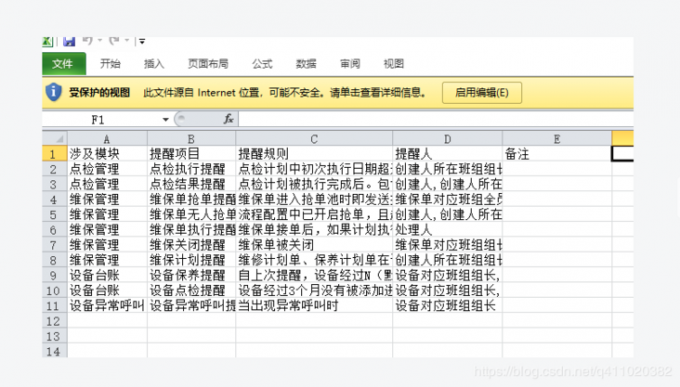
问题
由于设置了 responseType: "arraybuffer" ,无法显示错误信息。
- 请求成功时,后端返回文件流,正常导出文件;
- 请求失败时,后端返回 json 对象,如:{"code":"500","msg":"导出失败","data":null},也被转成了 arraybuffer。
const res = await weekExport();
const enc = new TextDecoder("utf-8");
// 如果正常返回,需要后端把arraybuffer放在{"code":"200","msg":"ok","data":二进制流}的data里,否则这样写会报错,或者考虑使用try catch
const resData = JSON.parse(enc.decode(new Uint8Array(res as any))); // 转化成json对象
if (resData.code !== "200") {
  ElMessage.error(resData.msg);
}
也可以改写 axios 的拦截器,对 arraybuffer 类型的数据进行处理:
request.interceptors.response.use(
  (response) => {
    // 失败时res为{"code":"200","msg":"失败","data":null}的二进制流
    // 成功时res为文件二进制流
    const res = response.data
    loading.hide()
    if (response.config.responseType === 'arraybuffer') {
      try {
        const enc = new TextDecoder('utf-8')
        // res为文件二进制流时 JSON.parse会报错
        const resData = JSON.parse(enc.decode(new Uint8Array(res)))
        if (resData.code !== '200') {
          ElMessage.error(resData.msg || 'Error')
          return Promise.reject(response.data || 'Error')
        }
      } catch (error) {
        return res
      }
    }
    //......
  },
  (error) => {
    // ......
);
文件地址下载
浏览器只能预览 PDF 文件,docx,xlsx 等文件需要转化成流后下载(由于不同源,浏览器不能打开这些文件)。
- file.ts
// 将文件地址转化成blob
export const getBlob = (url: string) => {
  return new Promise((resolve) => {
    const xhr = new XMLHttpRequest();
    xhr.open("GET", url, true);
    xhr.responseType = "blob";
    xhr.onload = () => {
      if (xhr.status === 200) {
        resolve(xhr.response);
      }
    };
    xhr.send();
  });
};

// 将blob保存成本地文件
export const saveAs = (blob: any, filename: string) => {
  const link = document.createElement("a");
  link.href = window.URL.createObjectURL(blob);
  link.download = filename;
  link.click();
};
使用:
- index.ts
const blob = await getBlob(http://it.test.survey.shuzhe.com:8001/Upload/person-cloud/Upload/Other/20230223/2302196607700001.docx);
saveAs(blob, 'test.docx');